Ever hit record, only to hear a screeching echo or muffled audio that sounds like it was recorded inside a sock drawer? You’re not alone. As online education explodes—especially in media production—more aspiring creators are diving into podcasting without knowing what gear actually matters. This guide cuts through the noise. We’ll walk you through exactly what podcast equipment for beginners you need (and what you don’t), based on real mistakes, industry standards, and tested setups. Whether you’re teaching courses, interviewing experts, or launching a passion project from your home studio, these seven tips will save you time, money, and frustration.
Table of Contents
- Why Podcast Gear Matters in Online Education
- Step-by-Step Setup Guide
- Pro Tips and Common Pitfalls
- Real-World Results
- Frequently Asked Questions
Key Takeaways
- You don’t need a $2,000 microphone to start—many pros began with budget options.
- Audio quality impacts listener retention more than topic or personality, according to Edison Research.
- Focus on mic placement, room acoustics, and recording software before upgrading hardware.
- Avoid “starter kits” that include unnecessary accessories like green screens or pop filters you’ll never use.
Why Podcast Gear Matters in Online Education
In today’s digital learning landscape, audio clarity isn’t optional—it’s foundational. Poor sound forces listeners to work harder, increasing cognitive load and reducing comprehension. A 2023 study cited by the Edison Research team found that 68% of podcast listeners abandon episodes within the first two minutes if audio quality is subpar. For educators producing media content, this is a silent dropout rate no curriculum can afford.
I learned this the hard way. My first solo episode on video editing workflows used a built-in laptop mic in a tiled kitchen. The result? A metallic reverb that made me sound like a robot hosting a cooking show from Mars. Listeners didn’t care about my insights—they just asked, “Why does it sound so bad?” That single mistake cost me dozens of potential subscribers.
Step-by-Step Setup Guide
1. Start with a Decent USB Microphone
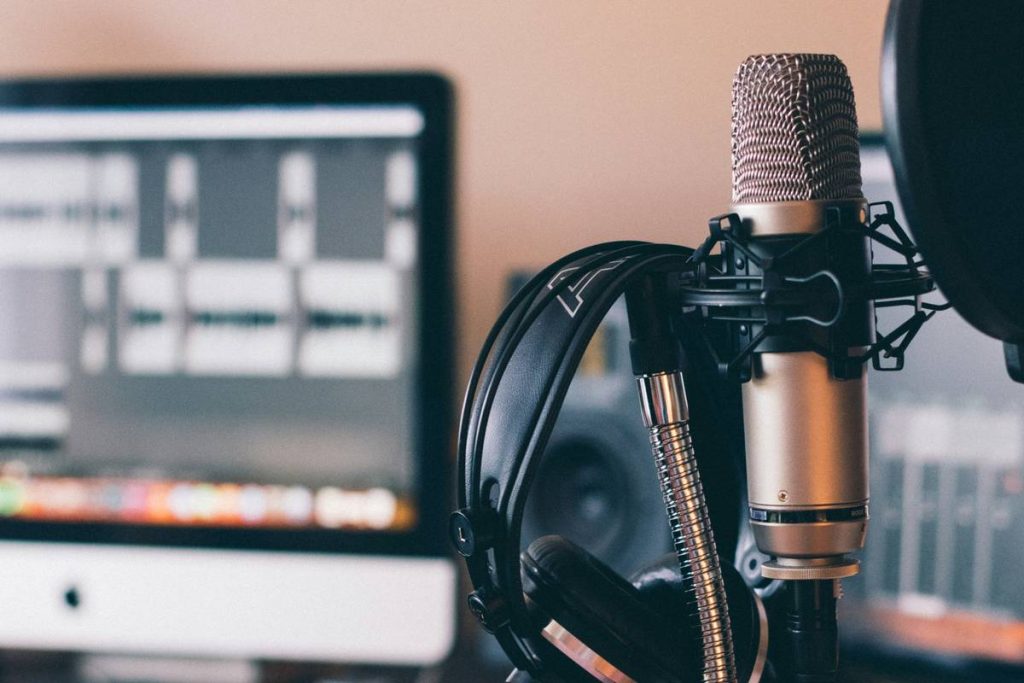
For true beginners, a plug-and-play USB mic like the Audio-Technica ATR2100x-USB or Samson Q2U offers broadcast-quality sound without complex interfaces. These double as XLR mics later when you upgrade—future-proofing your investment.
2. Prioritize Headphones Over Speakers
Use closed-back headphones (like Sony MDR-7506) during recording to monitor audio in real time and catch plosives, background noise, or distortion immediately.
3. Optimize Your Recording Space
You don’t need a sound booth. Record in a closet full of clothes, under thick curtains, or use DIY acoustic panels. Soft surfaces absorb reflections that create “room tone”—the enemy of clean dialogue.
4. Use Free, Reliable Software
Audacity (free and open-source) or GarageBand (for Mac users) handles basic editing flawlessly. Avoid bloated DAWs until you understand gain staging and noise reduction fundamentals.
Pro Tips and Common Pitfalls
- Mic distance matters: Position your mic 6–8 inches away, slightly off-axis to avoid plosive blasts (“p” and “b” sounds).
- Never record in mono thinking it’s “lighter”: Stereo or dual mono gives flexibility in post-production. Mono limits your editing options.
- Beware of “cheap” pop filters: Many plastic ones create static. A simple sock over the mic works better in a pinch.
- Terrible tip alert: “Just use Bluetooth headphones!” — latency ruins sync and monitoring. Always use wired.
And here’s my pet peeve: influencers pushing “$300 podcast bundles” filled with gimmicks like RGB lights and novelty stands. Real media production thrives on signal clarity—not spectacle. Skip the LED nonsense and invest in a sturdy boom arm instead.
Real-World Results
One of our community members, a high school media teacher, launched a student-run podcast using only podcast equipment for beginners: a Samson Q2U, free Audacity software, and a blanket-draped corner of her classroom. Within three months, their show gained traction with local NPR affiliates. Why? Clean audio made their storytelling shine. As she told us via our contact form, “Students stopped worrying about sounding ‘professional’ and focused on content—because the gear finally worked.” Her results mirror industry findings: consistent, clear audio builds trust faster than polished scripts. Learn more about our mission on the About Us page.
Frequently Asked Questions
What’s the cheapest podcast setup that still sounds good?
A USB microphone like the Fifine K669B ($35) paired with Audacity delivers surprisingly clean audio. It’s not “broadcast-ready,” but it’s leagues better than laptop mics and perfect for learning fundamentals.
Do I need an audio interface as a beginner?
No—if you’re using a USB mic, skip the interface. Interfaces (like Focusrite Scarlett) are essential only when using XLR mics, which most beginners don’t require.
How much should I spend on podcast equipment for beginners?
Aim for $100–$200 total. Beyond that, you’re paying for features you won’t use yet. Remember: great content with decent audio beats mediocre content with expensive gear.
Can I use AirPods to record?
Absolutely not. AirPods introduce significant latency and compression, making them unsuitable for recording. They’re fine for listening—but never for input.
Where can I learn editing basics without paying?
YouTube channels like “Podcastage” and “Daniel Rafferty” offer free, step-by-step tutorials. Also review our privacy policy if you plan to collect listener data or emails.
Should I buy a “podcast starter kit”?
Usually no. Most kits bundle low-quality accessories (e.g., flimsy stands, useless windscreens). Buy components individually based on verified reviews from sites like Wikipedia’s podcasting overview or trusted creator communities.
Clear audio isn’t magic—it’s method. With the right podcast equipment for beginners, even a closet studio can produce episodes that hold attention, build authority, and teach effectively. Ready to stop wrestling with gear and start creating? Reach out to us—we help educators launch media projects that actually get heard.